
The Client Plugin — What Happens on Employee Devices
The moment DSH Desktop on an employee's machine gets the dsh-enterprise plugin, it stops being a personal tool and becomes a managed enterprise terminal.
No extra client software, no change to how employees work — everything happens behind the scenes.
Login: The Gate You Control
Without governance: employees use their own accounts; after offboarding, accounts live on, and incidents have no owner.
Now: employees see your enterprise login page. You create and deactivate accounts — when someone leaves, their device returns to the login screen within minutes, with no access to enterprise models.
- 10 failed attempts locks the account for 15 minutes — credential stuffing is pointless
- Password change signs out every device instantly
- Online terminal dashboard: which machine, which account, last heartbeat — all at a glance
- The login page fills in the gateway URL automatically — set the Client Access URL once in the admin console and fresh machines need zero typing
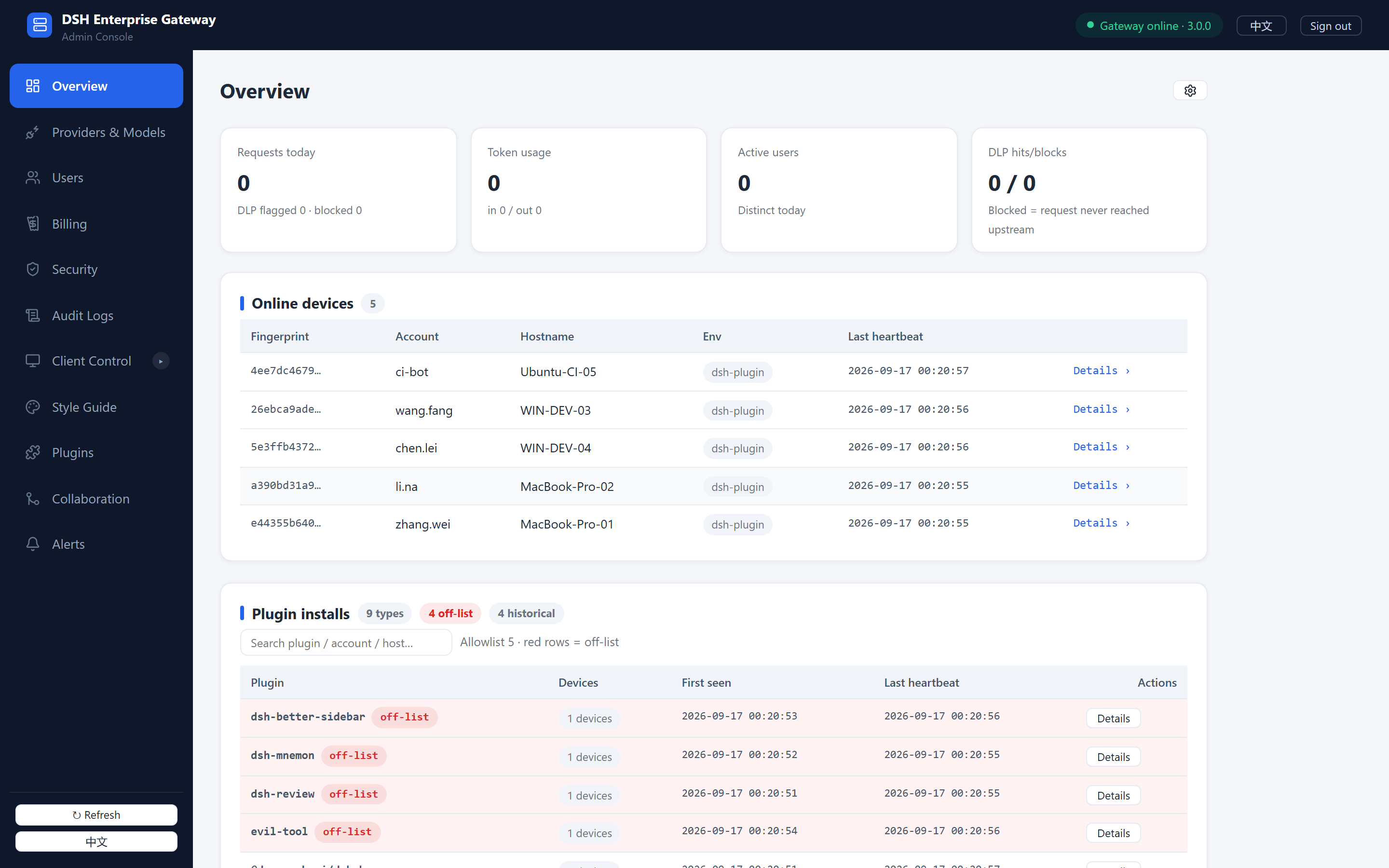 Overview: 5 devices online, plugin installs with off-list flags at a glance
Model Catalog: Auto-Alignment
Without governance: employees configure their own API keys — possibly on the company's dime — with a zoo of models.
Now: you publish models in the admin console; the client catalog becomes exactly what you approved.
- API keys live only on the gateway; employees never see the value
- Automatic failover when the primary provider goes down
- Probe workbench before publishing: image support, thinking levels — measured, not guessed
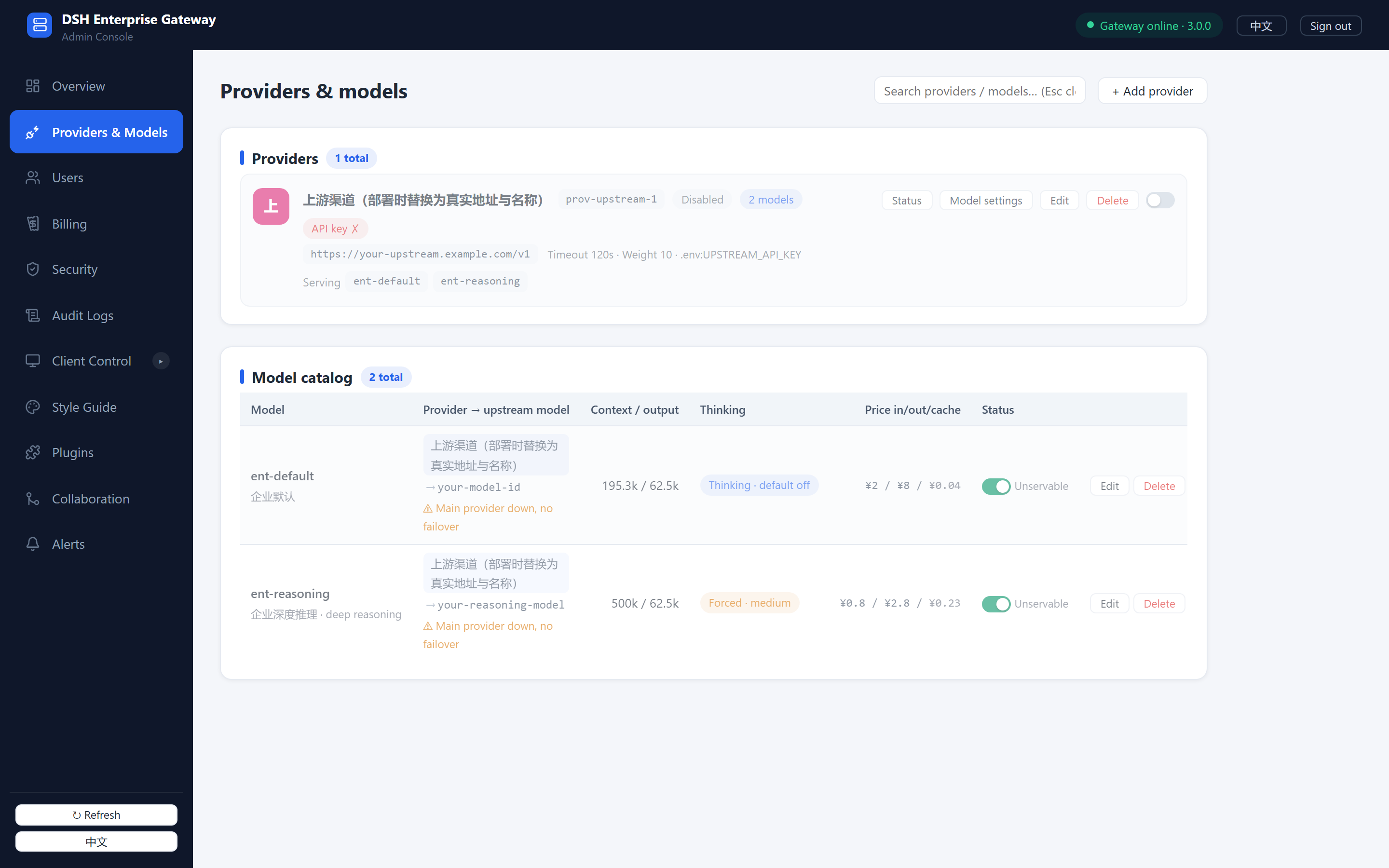 Providers & Models: publish models, set prices, thinking levels and context windows on one page
The Plugin Market: You Approve What Gets Installed
This is the plugin's core capability.
One Entrance Only
The client plugin page becomes your enterprise market, showing only what you've added — fetched from npm or uploaded as tgz, with names and descriptions you write.
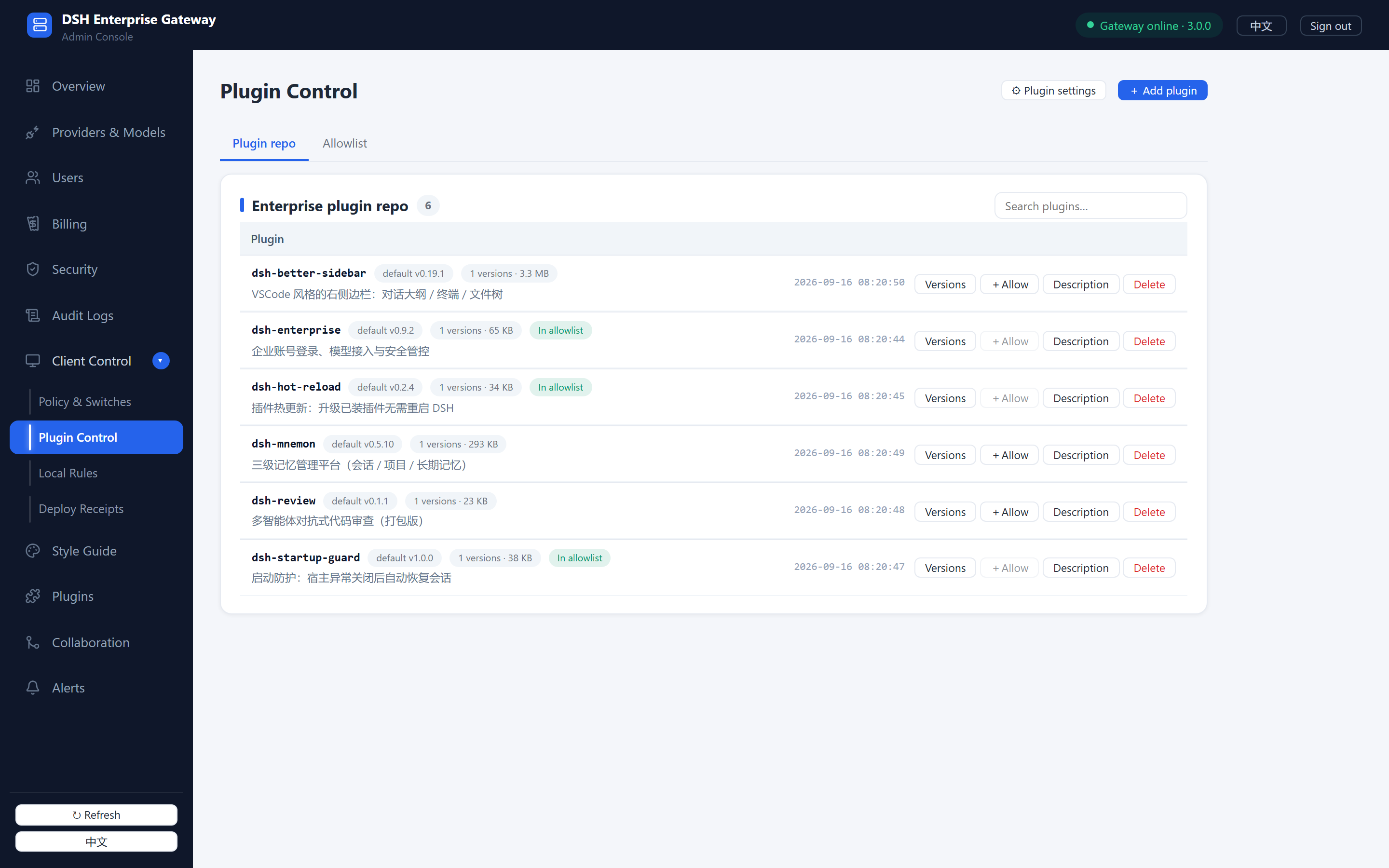 Plugin Control: the enterprise repo — versions, allowlist status, descriptions
The Outside Can't Get In
Push the allowlist; out-of-list installs are rejected on the spot.
The Inside Can't Hide
Already-installed out-of-list plugins are handled by the mode you set:
| Mode | Behavior |
|---|---|
| Enforce | Auto-uninstall on discovery, dual-layer cleanup, restart prompt |
| Warn | Red banner in the market, plugin still works but visible to everyone |
| Log-only | Leave it, just record it |
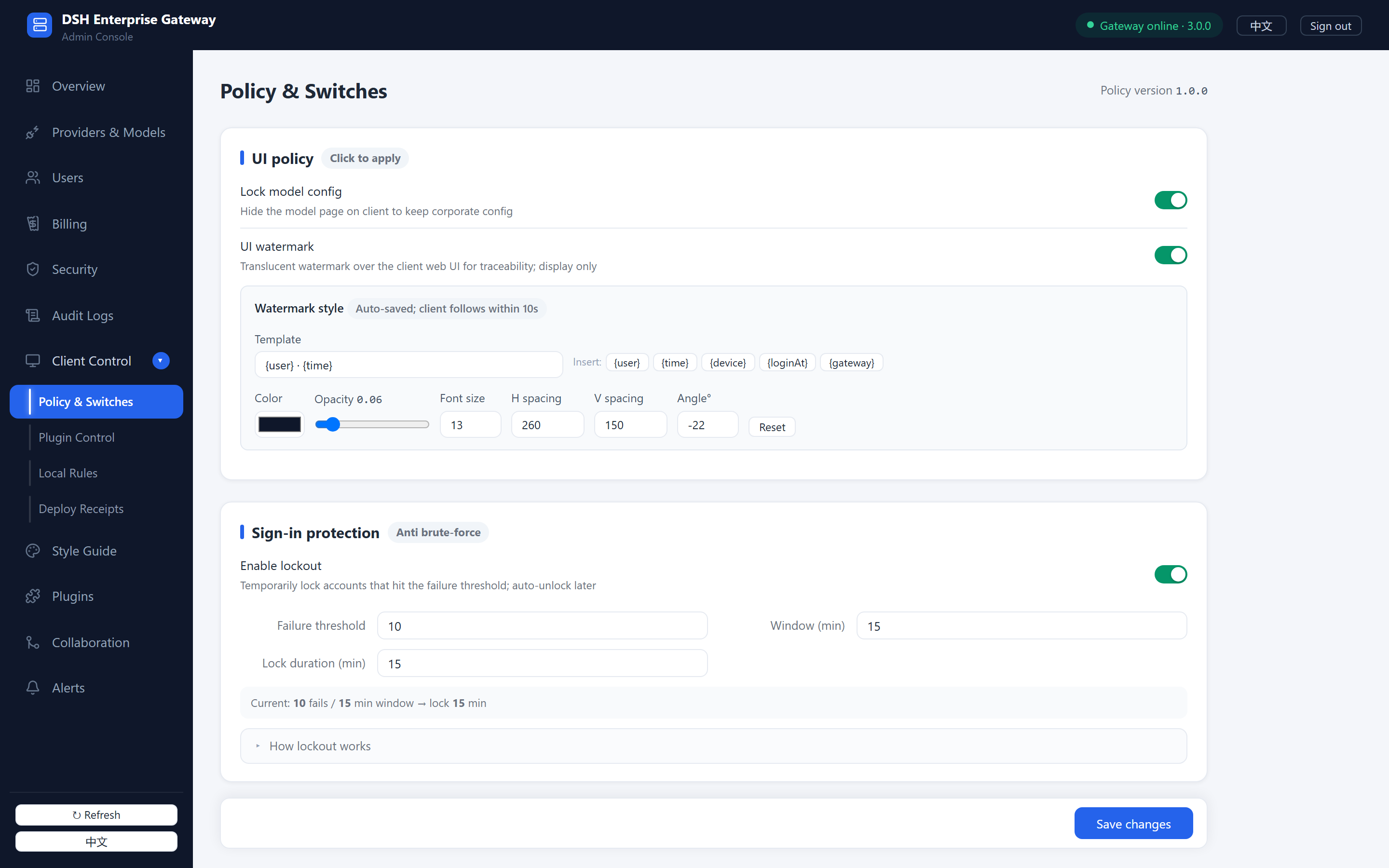 Policy & Switches: watermark, sign-in protection, plugin handling modes — changes auto-propagate
The Books Are Kept
Every out-of-list sighting — which machine, which employee, when, still present or not — is recorded and aggregated per plugin.
The Floor Holds
dsh-enterprise itself and DSH core components are on the protection list; no one can uninstall the governance itself.
Also On the Client
- My Usage: employees see their own token consumption (not others'; no prices)
- Local rules: blocked words and URLs are enforced on-device, content never leaves the machine
- Policy follows you: any change reaches clients within ~60 seconds
What It Looks Like
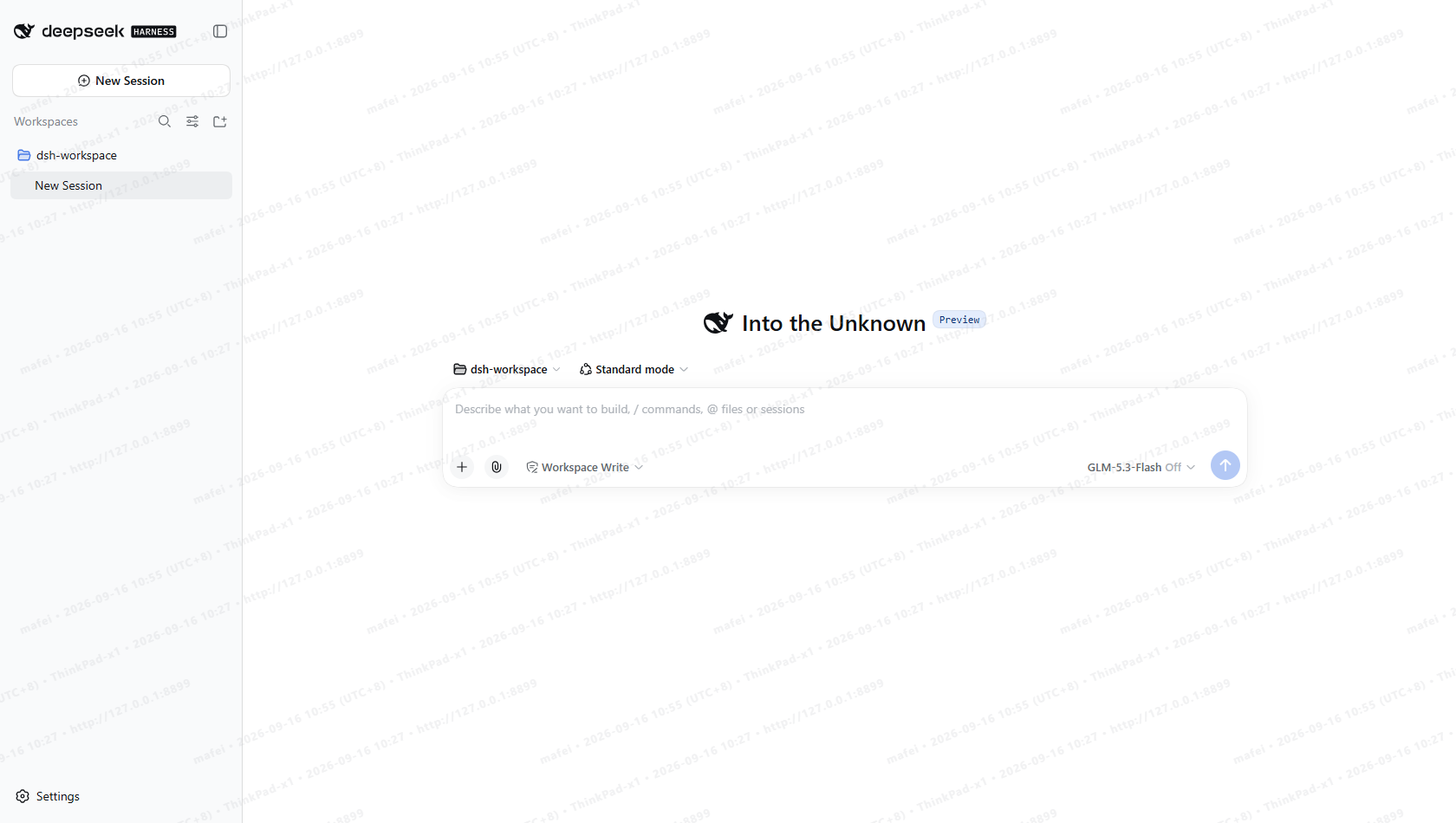 Chat: sign in once and models are ready — the list comes from the gateway, zero configuration
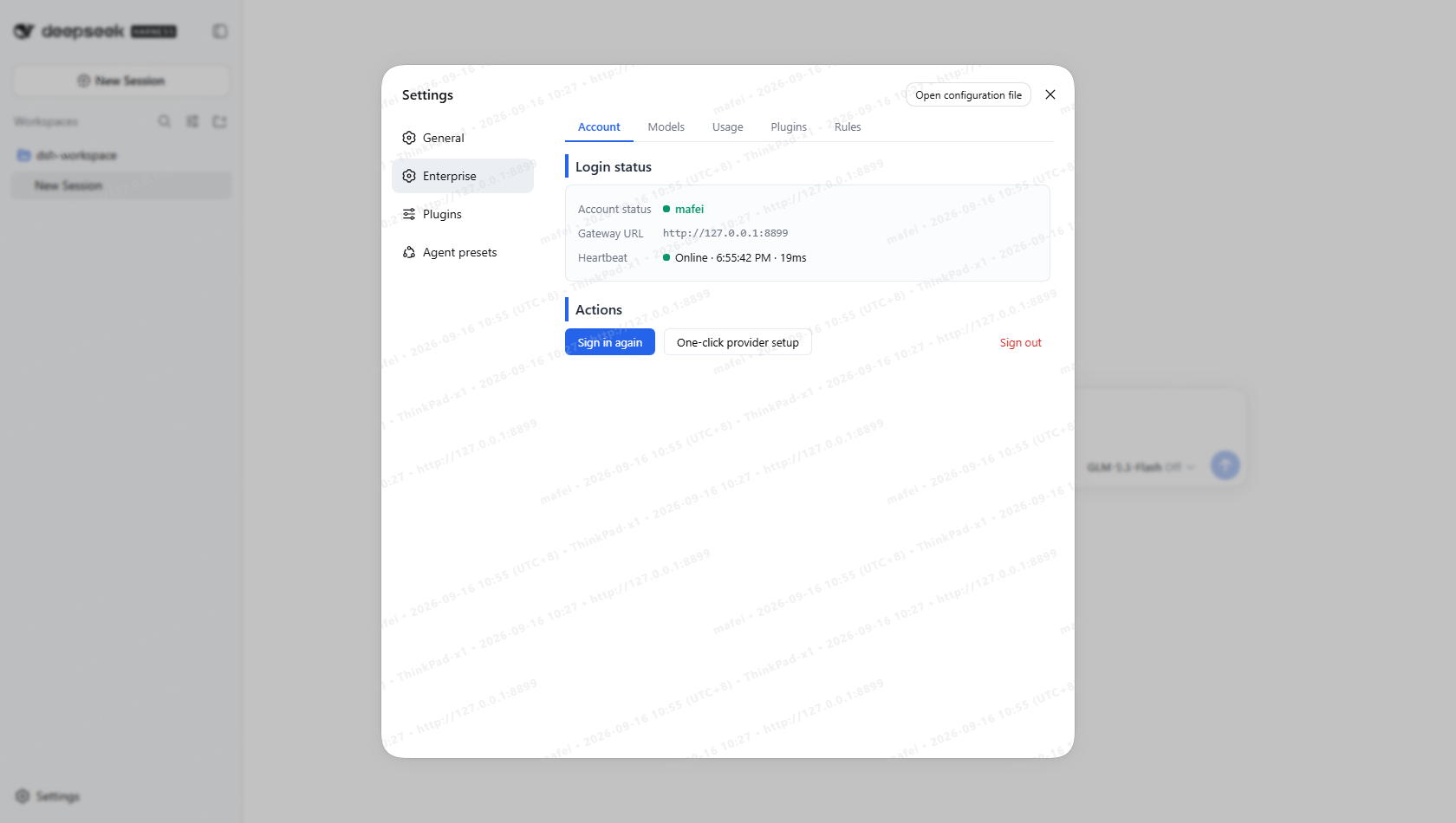 Enterprise panel: sign-in status, gateway URL, heartbeat — plus Models / Usage / Plugins / Rules tabs
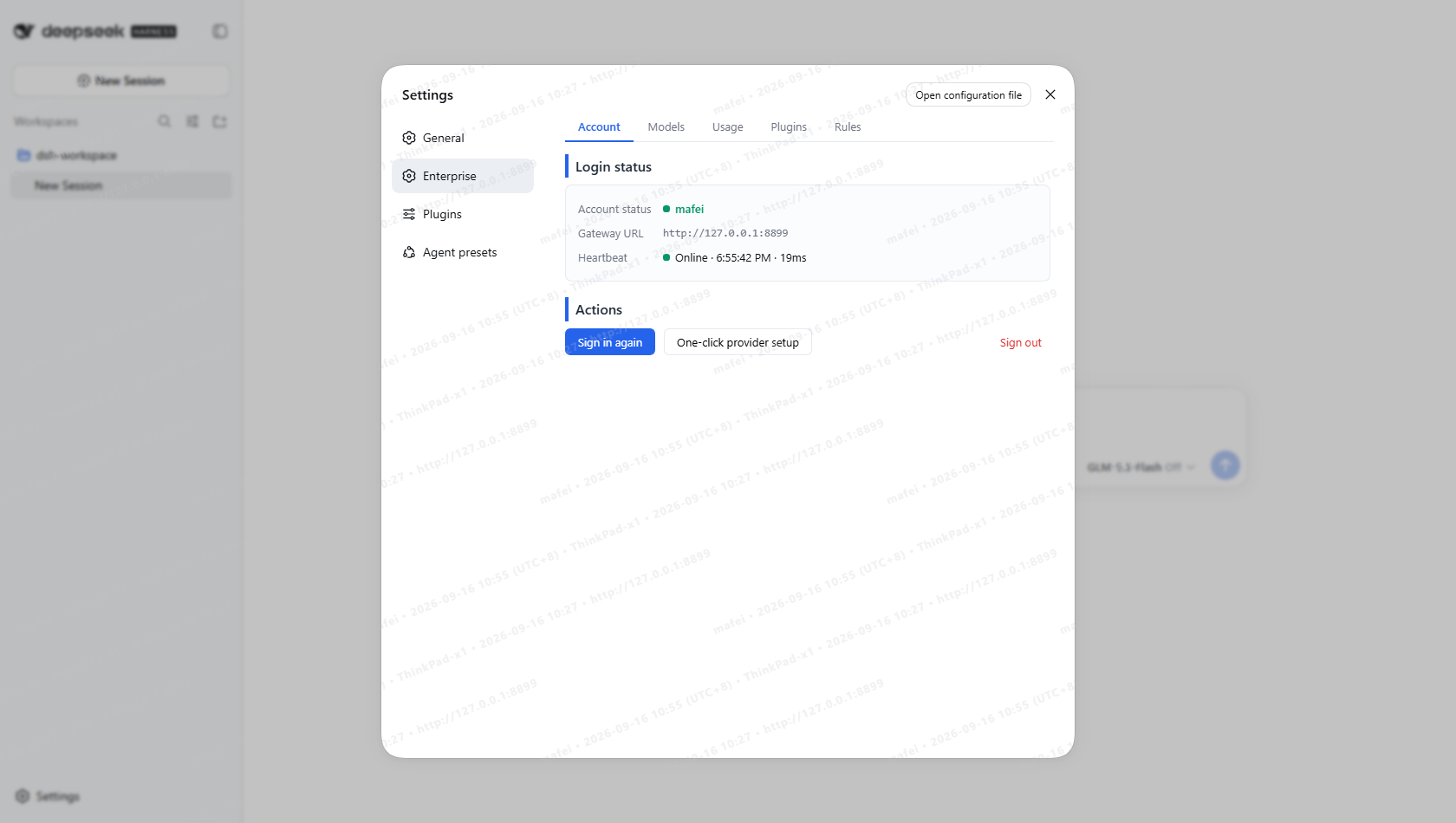 Enterprise models: whatever you publish is what appears; employees can't change it
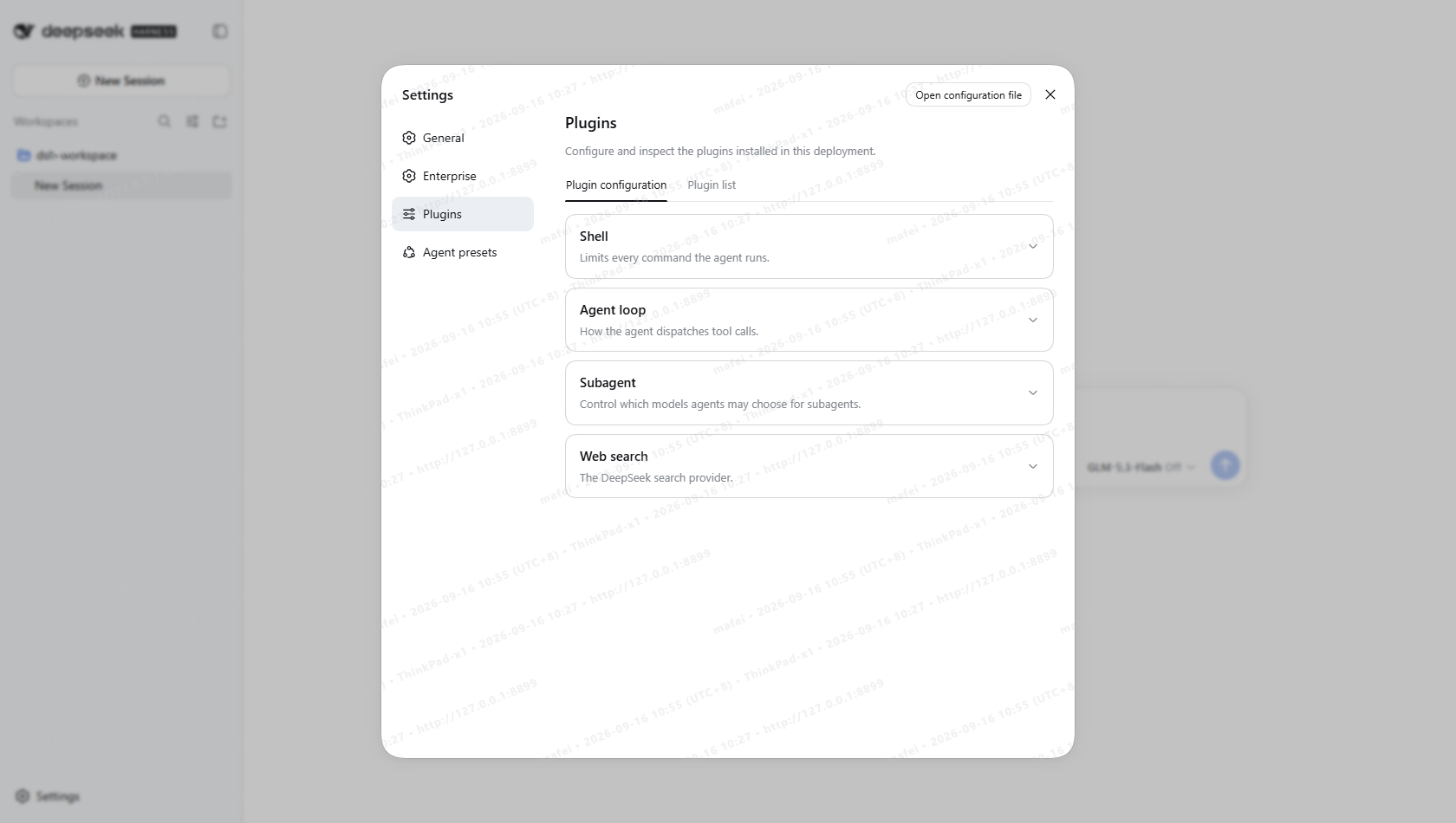 Plugin management: only allowlisted plugins show up — one entrance, nothing else
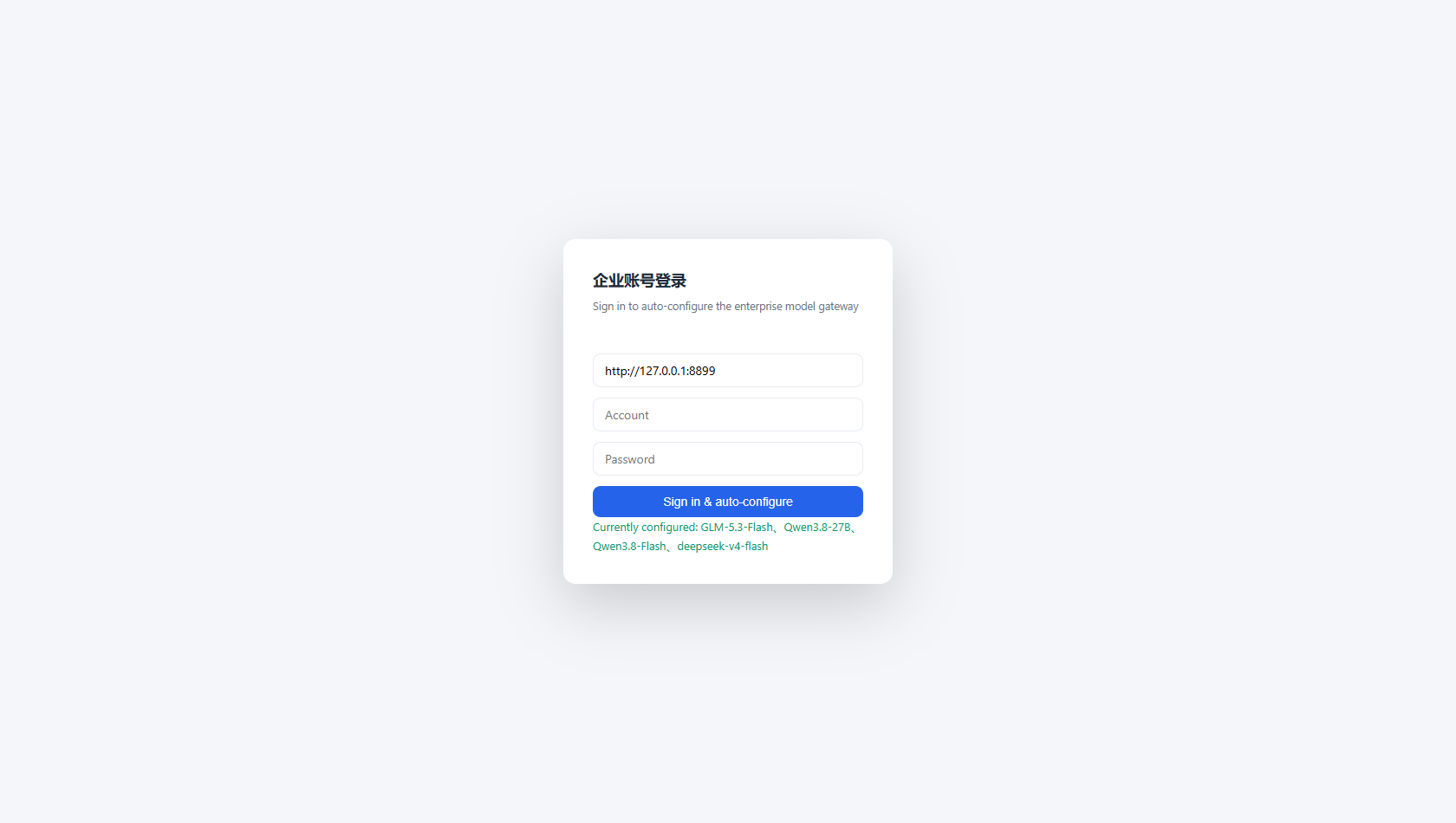 Standalone login page: gateway URL filled in automatically; employees just enter credentials
Ready? See what the Enterprise Gateway does behind the scenes, or jump into the live demo.