
Evaluate it hands-on
The live environment exposes the full admin console. No installation — sign in with the demo account and try every feature.
demodemo123456Suggested Tour
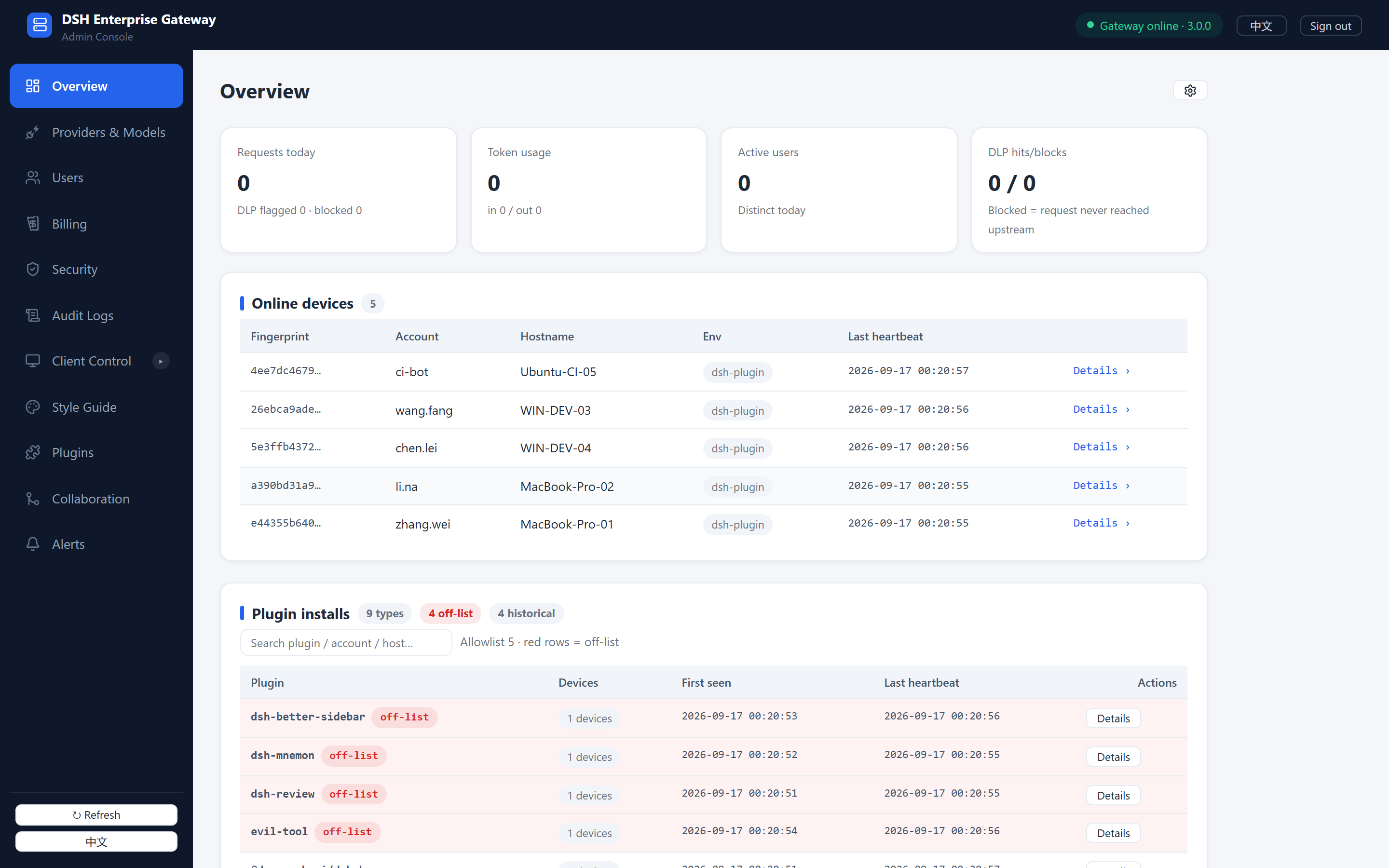
Overview · online devices and plugin installs
Online devices, plugin installs and off-list alerts — the state of AI usage across the organization on one screen.
Plugin registry, allowlist and three-mode handling — one consistent install boundary for every device.
DLP rules act before egress with block, mask and log actions — sensitive data is handled at the gateway.
Every request and sign-in is recorded — usage, latency and flags are searchable and exportable.
Daily costs computed automatically from usage, broken down by model and exportable for reconciliation.
Before you explore
- The demo has no real AI provider attached, so forwarding is unavailable; every admin console feature is fully clickable
- Data resets periodically — do not store real information
When ready, follow the deployment guide to get a gateway running in five minutes.